
Enter your license key. It’s emailed to you right after purchase by LicenseSeat (our license service). Check spam/promotions. Can’t find it? Go to jetisys.com/key, enter the email you bought with, and you’ll get a link to your key. Trouble? Email support@jetisys.com.
First unlock needs a short online check. After that, your key stays on this device. One purchase unlocks up to 3 devices.
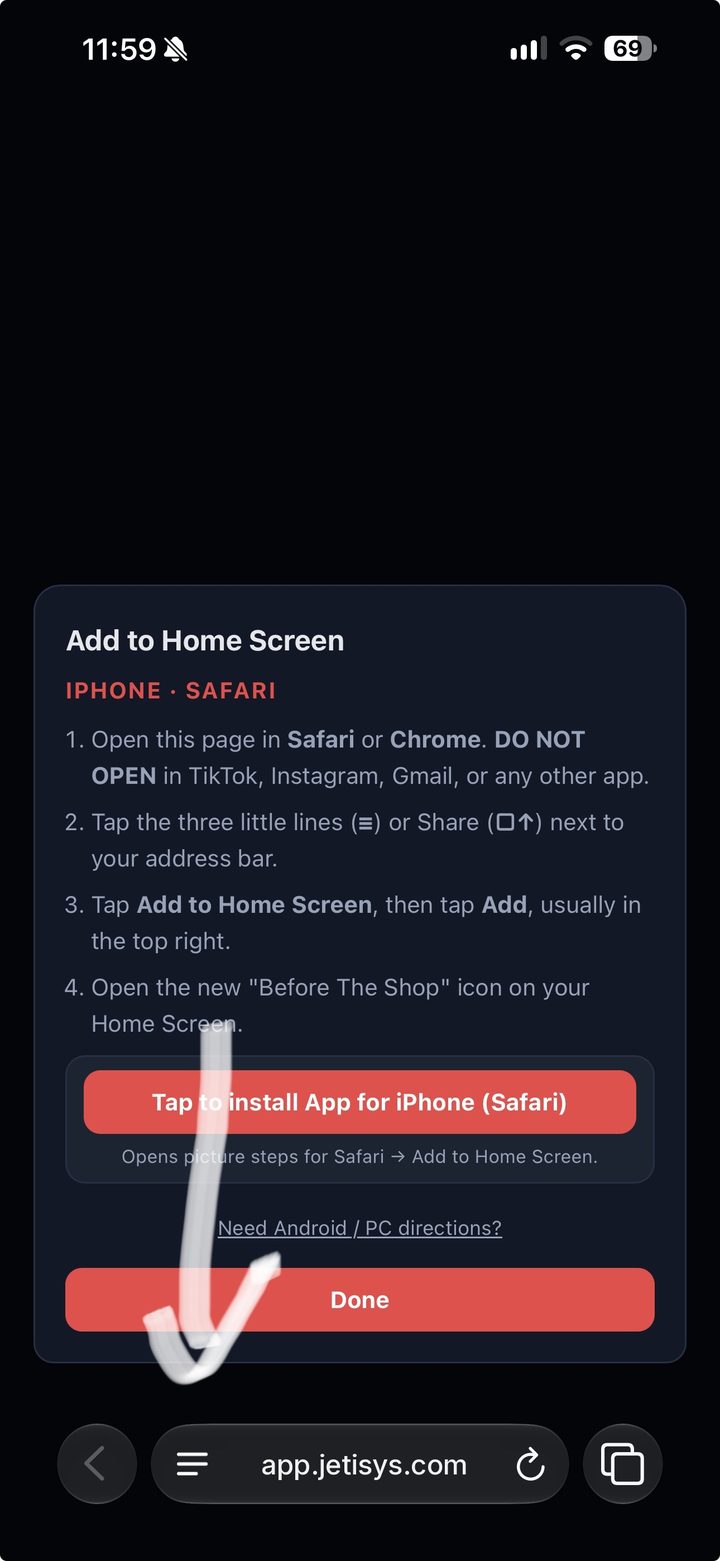
Opens picture steps for Safari → Add to Home Screen.
You opened this inside another app, like TikTok, Instagram, or Gmail. To add Before The Shop to your Home Screen, open it in Safari or Chrome.
Or tap ··· or the menu in this app and choose Open in browser (or Open in Safari).
If a one-tap install is available, this starts it. Otherwise follow the Android / PC steps above.
The picture steps are from the latest iOS 27 Safari. Older iOS may vary slightly — same idea: find Share (near your address bar), then Add to Home Screen (≡, bottom, center, top, AA, or □↑).
Step 1 of 5
Tap the three little lines (≡) next to the Safari address bar. It can be at the bottom or the top of the screen.
Older iOS may vary slightly — find Share near your address bar (≡, bottom, center, top, AA, or □↑), then Add to Home Screen.